ADHD Planner for GoodNotes
The Did-It Club planner is a digital ADHD planner made of hyperlinked PDF files, and GoodNotes is one of the apps it was built for. You import it like any other PDF, tap the tabs to move around, and write on the pages with your stylus or your keyboard. Each day asks for one thing, not twenty, so a day you did that one thing is a day that counts.
Getting it into GoodNotes
You get a download link on the thank-you page right after you pay, and the same link by email about a minute later. There's no account to make and nothing is shipped.
- Open the download link in a web browser and download the edition you want: 2027 or Undated, Sunday or Monday start, in any of the 9 colorways.
- Import the PDF into GoodNotes, the same way you'd import any other PDF.
- Open the Start here page. It walks you through the rest.
New to digital planners? Read how to use a digital planner.
You don't have to choose your colorway before you buy. All 9 are in the download, so you can import a second one whenever the first gets boring. The Night colorway is made for dark mode.
Each planner PDF is under 5 MB, so it imports into the free version of GoodNotes.
Moving around with the tabs
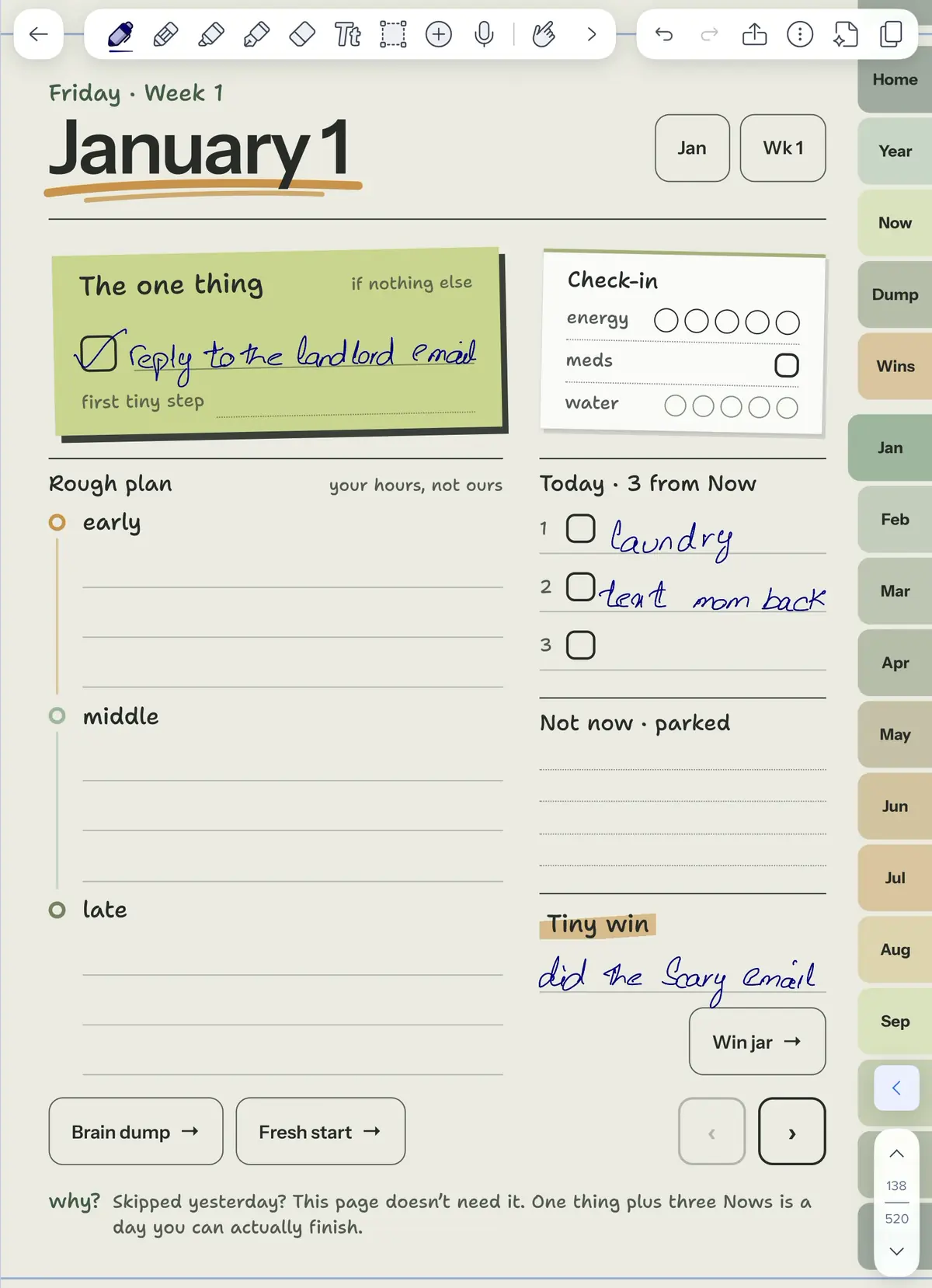
Every page has hyperlinked tabs: Home, Year, Now, Dump, Wins and all 12 months. Tap a tab to jump straight there, tap any date in a monthly calendar to open that day, and use the arrows to step to the next or previous page. That's more than 520 linked pages, and you never have to scroll through them.
If a tap draws a line instead of following the link, you're probably holding the pen tool. Switch away from the pen, tap the tab, then switch back to write.
The links only work on screen. You can still print pages for your own use, but on paper they're just pages.
What a day looks like
The daily page is built to be finished. At the top it asks for one thing. Under that there's a quick check-in (energy, meds, water), three tasks and a tiny win. If you skip a day, it stays blank. There are no streaks to break and nothing to catch up on when you come back.
The rest of the planner works the same way:
- Now vs. Not now. Now holds five things, tops. Everything else gets parked on the right, where it's safe and out of your head. There's a main list, plus a fresh copy for every week.
- 53 weekly pages with one focus and a row for each day, and 12 monthly calendars.
- Wins and habits. Five habit trackers a month, where missed days are just blank dots, and a tiny-win jar with 20 marbles a month.
- Brain dump and fresh start pages for emptying your head and starting again after a break.
Using the pages more than once
GoodNotes lets you duplicate any page in a notebook, which is handy for the parts you use again and again. A good example is the 20 bonus templates: routines, an evening shutdown, a low-energy day, a doom-pile sort, bills and subscriptions, meals and groceries and more. They're undated and come as separate PDFs (one per colorway), so your main planner file stays small. Duplicate a template whenever you need a fresh copy.
Stickers and covers in GoodNotes
The 200 hand-drawn stickers come in 9 sets, in two forms:
- a GoodNotes sticker book (a PDF), made for GoodNotes. Open it, lasso a sticker and tap "Add to Stickers", or copy and paste it onto your page;
- transparent PNGs, for GoodNotes or any other app. Add them with GoodNotes' image tool.
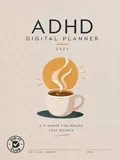
Every planner opens with the coffee cover, and there are 14 bonus covers to swap in, in 2027 and undated versions. Place one on the cover page with the image tool.
What's in the download
One price, every version:
- 36 PDFs: 2027 and Undated, Sunday and Monday start, in all 9 colorways
- 520+ hyperlinked pages
- daily pages, Now vs. Not now, 53 weeks and 12 months
- 5 habit trackers a month and a tiny-win jar
- 20 bonus templates for real life
- 200 hand-drawn stickers and 14 bonus covers
See everything on the planner page, or read the FAQ for downloads, checkout and other apps.
Not using GoodNotes?
The planner works in any PDF app that supports links and handwriting. On iPad, that includes Notability and Noteshelf. On Android: Samsung Notes, Xodo, Noteshelf, Penly and Flexcil. On Windows: Xodo, Drawboard PDF, Noteshelf and Adobe Acrobat. See how it works on an iPad with Apple Pencil, on an Android tablet or on Windows.
Frequently asked questions
Do the tabs and links work in GoodNotes?
Yes. Every page has hyperlinked tabs for Home, Year, Now, Dump, Wins and all 12 months, and every date in a monthly calendar opens its day. If a tap starts writing instead, switch away from the pen tool and tap again.
Can I use the stickers in GoodNotes?
Yes. The 200 hand-drawn stickers come as a GoodNotes sticker book (PDF) and as transparent PNGs you can add with the image tool.
Which version should I import into GoodNotes?
Whichever fits you: 2027 or Undated, Sunday or Monday start, in any of the 9 colorways. They're all in one download, so you can import another one later. The Night colorway is made for dark mode.
Can I use it in GoodNotes on more than one device?
Yes, on all of your own devices. It's a personal license: one copy is for one person, so everyone who uses it needs their own.
Does it work in the free version of GoodNotes?
Yes. Each planner PDF is under 5 MB, so it imports into the free version of GoodNotes.
Do I need a stylus?
A stylus makes handwriting easier. Without one, you can type with your app's text tool and place stickers with your finger.
New to planning with ADHD? Read how to plan your day with ADHD